Tattoo stencil maker
Fine-line tattoo designs and stencils with consistent line weight.
Real strokes. Change width, color and dashes after generation.
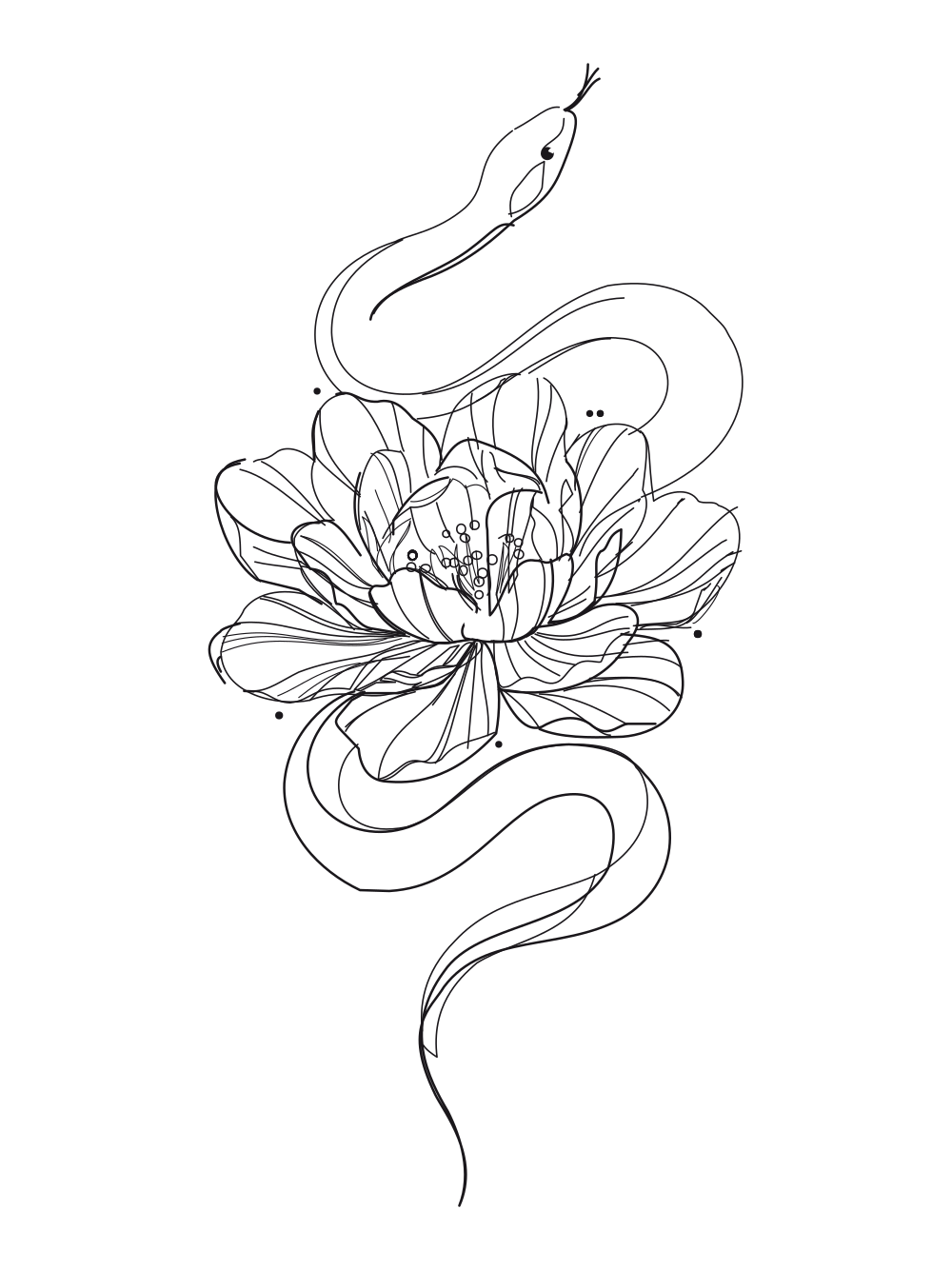 Sample · made with LineSVGYour drawing will appear here.
Describe it or drop in an image, then watch it draw.
Tool guide
Tattoo stencil maker: fine-line designs ready to print
Describe a motif and get a fine-line tattoo design with consistent line weight, no gray shading and no fills. The strokes stay editable, so you can match needle size, resize the design to a placement and print a clean tattoo stencil.
- 01
Describe the motif
Name the subject, the composition and the placement, such as forearm or ankle. Mention symmetry or flow if it matters.
- 02
Check the linework
Look for even line weight, clear intersections and enough spacing between lines to hold up on skin.
- 03
Size and export
Set the stroke width to match your needle, scale to the real placement size and export SVG or PNG for stencil printing.
Tips for better results
- Single-needle looks call for thin strokes; bolder styles read better with a heavier width.
- Ask for no shading and no fills to keep the design stencil-ready.
- Print at actual size to check that fine details stay readable.
Example description
A fine-line snake winding through a peony flower, tattoo design, consistent thin lines, symmetrical flow, no shading.
Try it in the workspace above →Tattoo stencil maker: frequently asked questions
Can I print this as a tattoo stencil?
Yes. Export the SVG or a high-resolution PNG at the real placement size and print it on stencil paper.
How do I match my line weight?
Adjust stroke width after generation. Because the lines are real strokes, the whole design updates at once.
Can I create a matching set?
Reuse the same wording and stroke width for each piece, then refine details together in Illustrator or Procreate.
Related tools
One workspace. Different starting points.
Each tool presets the output type, prompt and ratio. Pick one and start.
 Editable lines
Line art generator
Describe an idea and get line art with adjustable strokes.
Open tool Editable lines
Photo to line art
Turn a photo or picture into clean vector line art.
Open tool Editable lines
Image to SVG
Convert a drawing or illustration into vector paths.
Open tool Editable lines
Online SVG editor
Upload any SVG to restyle its lines for free, or describe an edit (recolor, remove, rename) and AI changes the file in place.
Open tool Editable lines
Sketch to SVG
Bring a scanned or hand-drawn sketch into a vector workflow.
Open tool Editable lines
One line drawing
Minimalist portraits, pets and couples drawn in one continuous line.
Open toolStart your next design with editable lines
Describe an idea or drop in a drawing. Watch it draw, restyle the strokes, and export.